One platform.
Every endpoint.
Inventory, updates, vulnerabilities, policy and evidence in one connected workflow. See what needs attention, act with control and verify the result.
Explore capabilitiesEndpoint Inventory
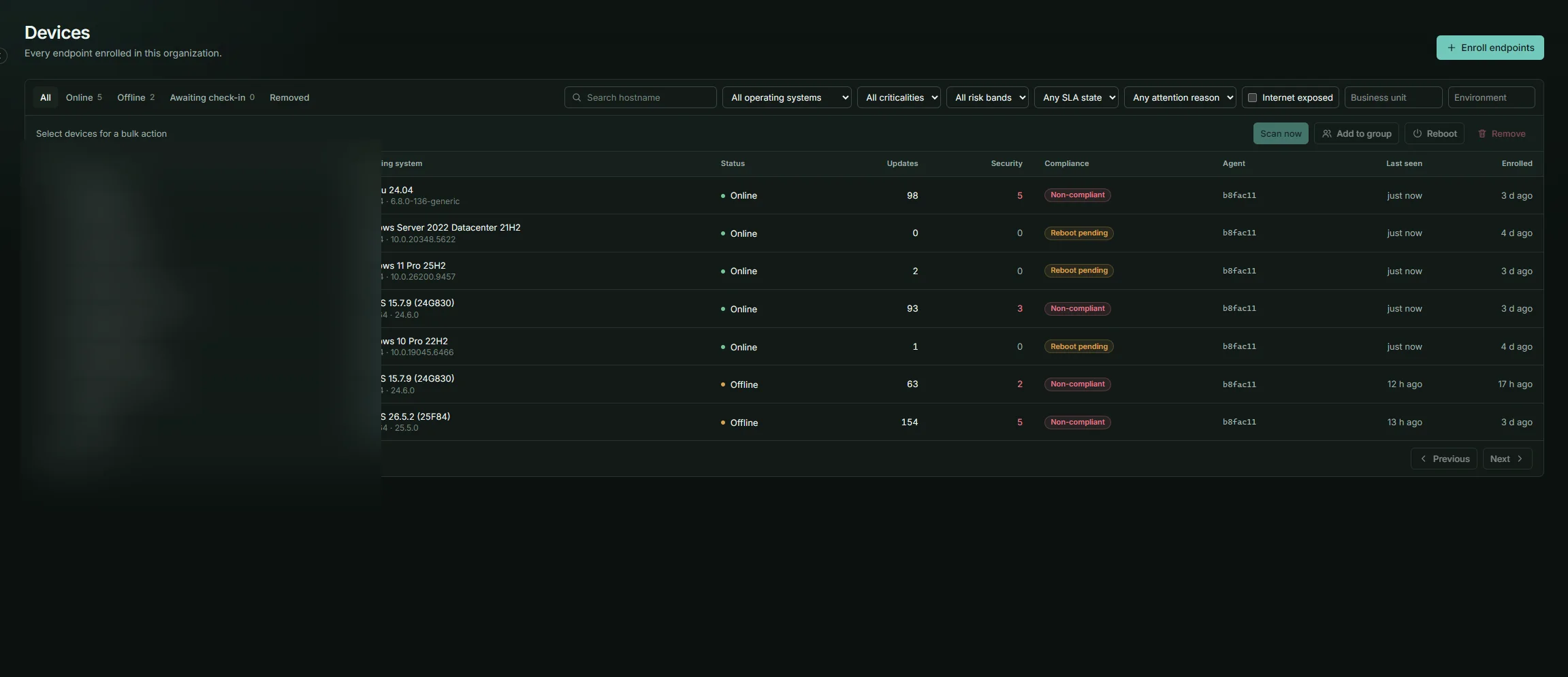
Build a current picture of the devices you manage and the work each one needs.
- See operating system, agent health and last contact for each device.
- Group devices to match the way your team owns and maintains them.
- Move from a fleet summary to a device's scans, updates and findings.
 Open larger view ↗
Patch Management
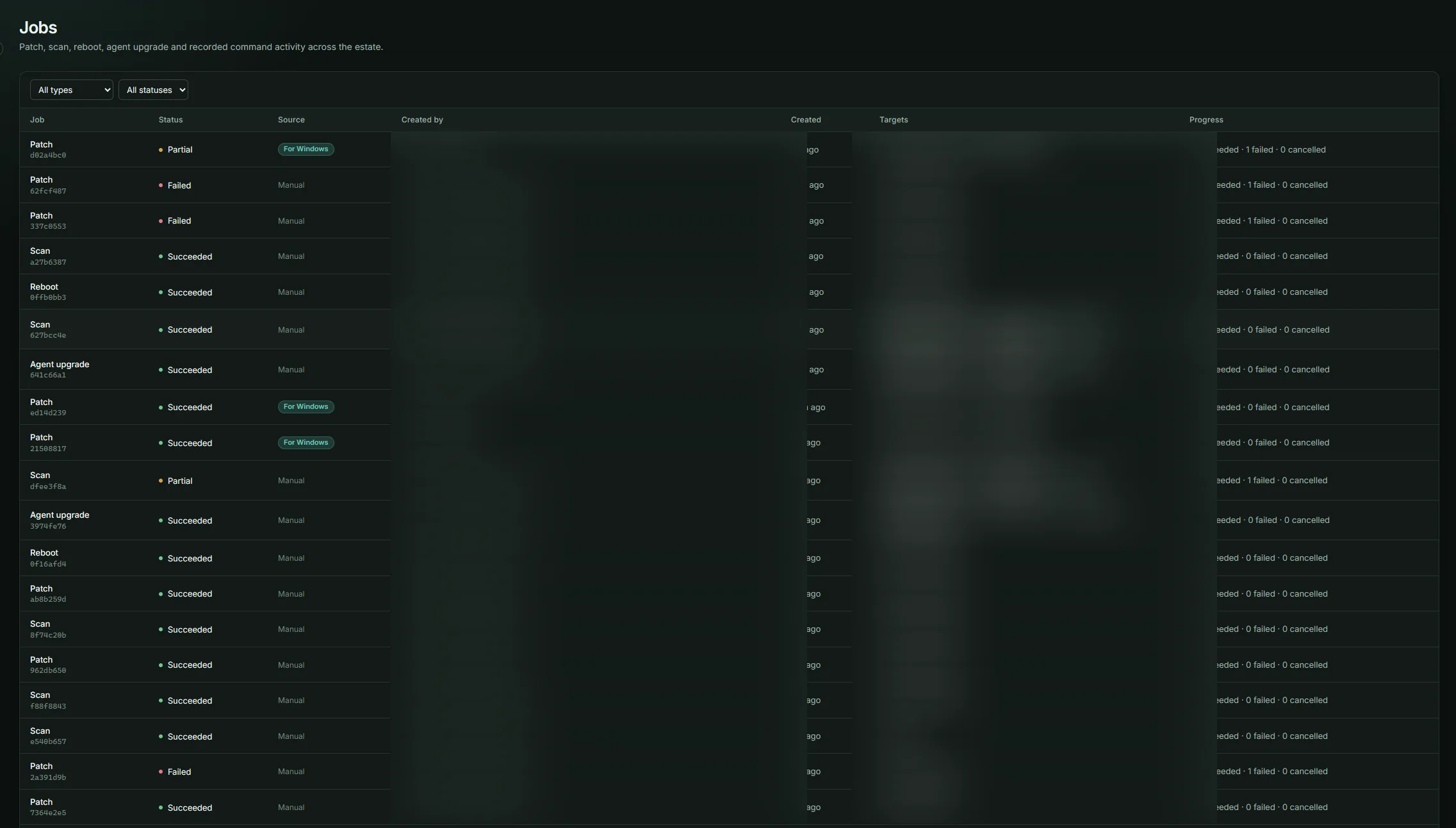
Take an update from discovery to a verified installation without losing sight of the host or the job.
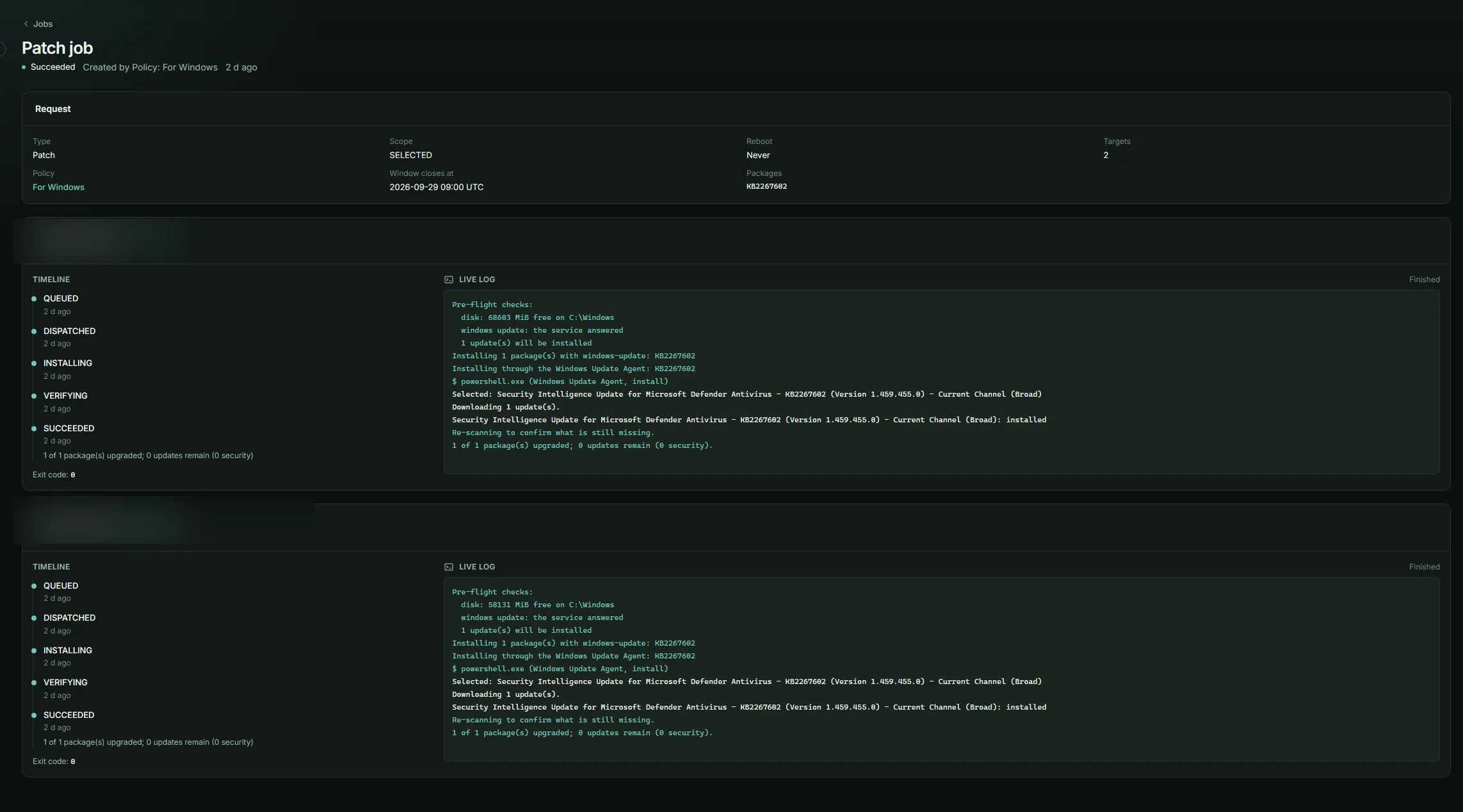
- Scan now and patch selected devices or a defined update scope.
- Use approvals and weekly or monthly maintenance windows before deployment.
- Watch live job output and see whether a reboot is required.
 Open larger view ↗
Vulnerability Management
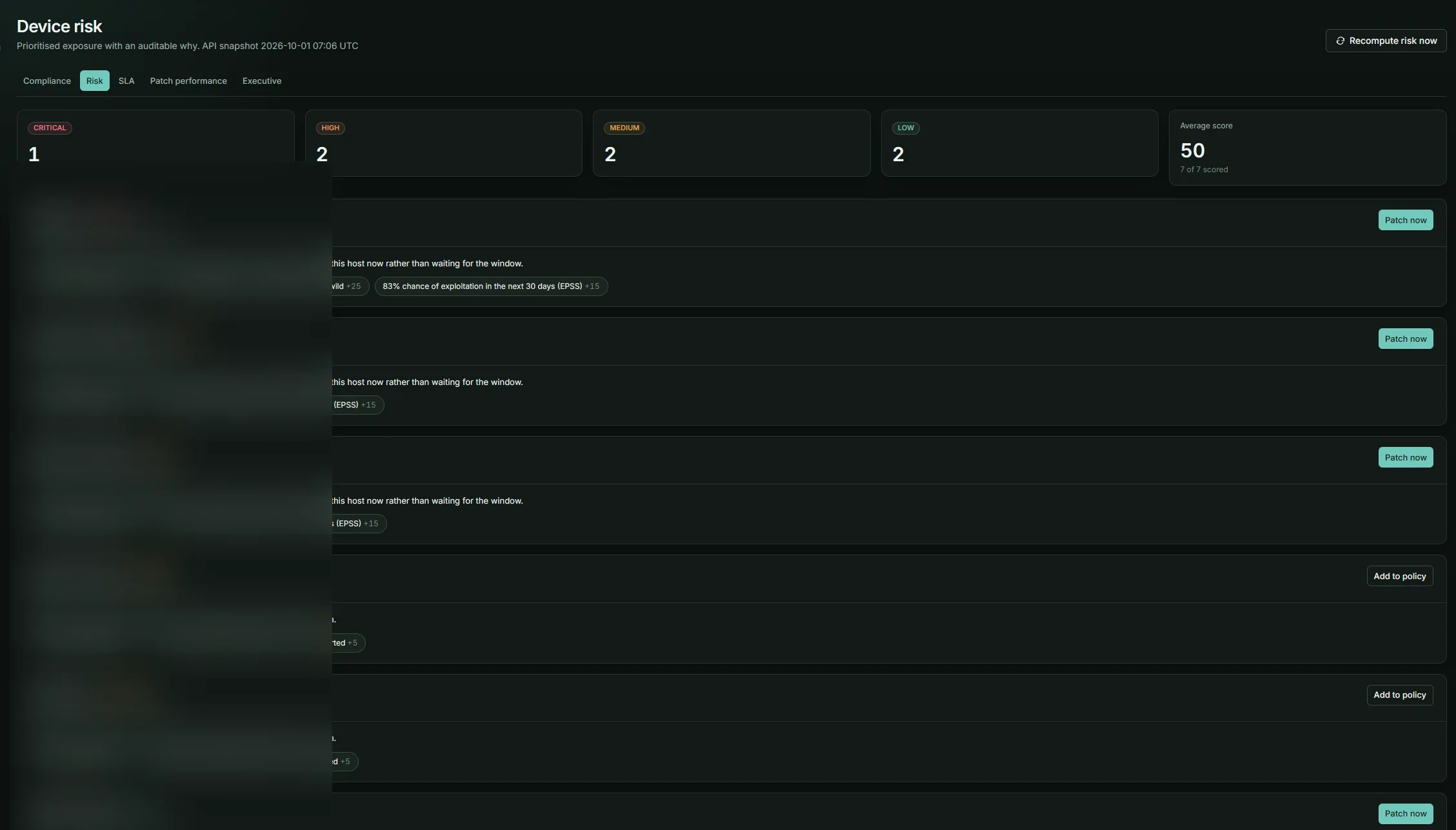
Connect published vulnerabilities to the packages and devices in your estate, then focus on fixes you can actually deploy.
- Match Ubuntu and Debian CVEs through OSV, RHEL-family advisories and supported third-party software through NVD.
- Prioritise with CISA KEV, EPSS, severity and device criticality.
- Separate fixes available on the host from those its repositories do not offer yet.
 Open larger view ↗
Automation
Let policies schedule the repeatable work while preserving the review points that matter.
- Choose security, severity-based or all available updates.
- Set weekly or monthly windows in the policy's time zone.
- Exclude packages, hold major-version jumps and choose automatic or manual approval.
 Open larger view ↗
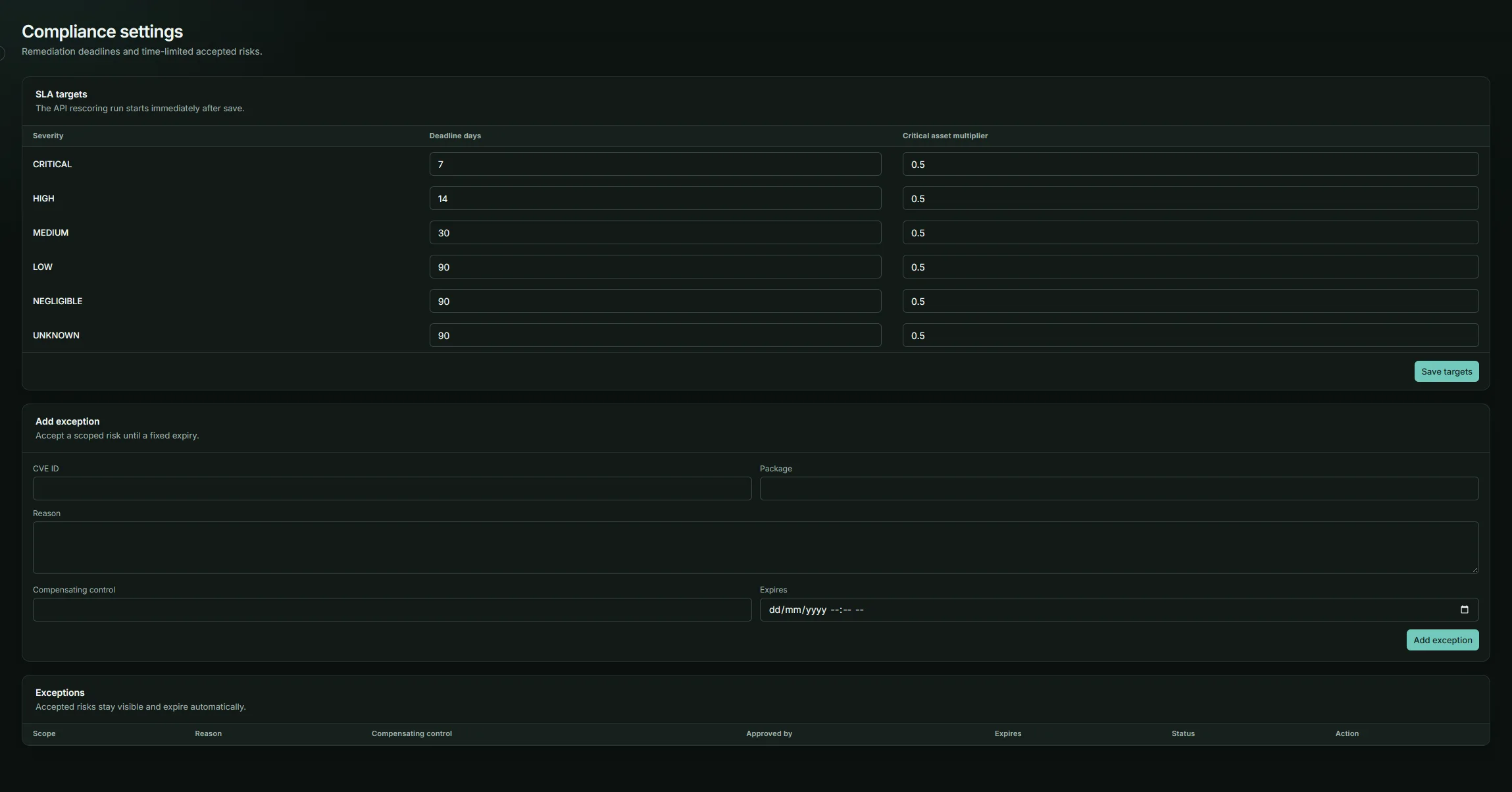
Compliance
Understand which devices meet your policy, why others do not and what happened after a patch run.
- View patch compliance per device and track SLA targets.
- Record exceptions and follow remediation history.
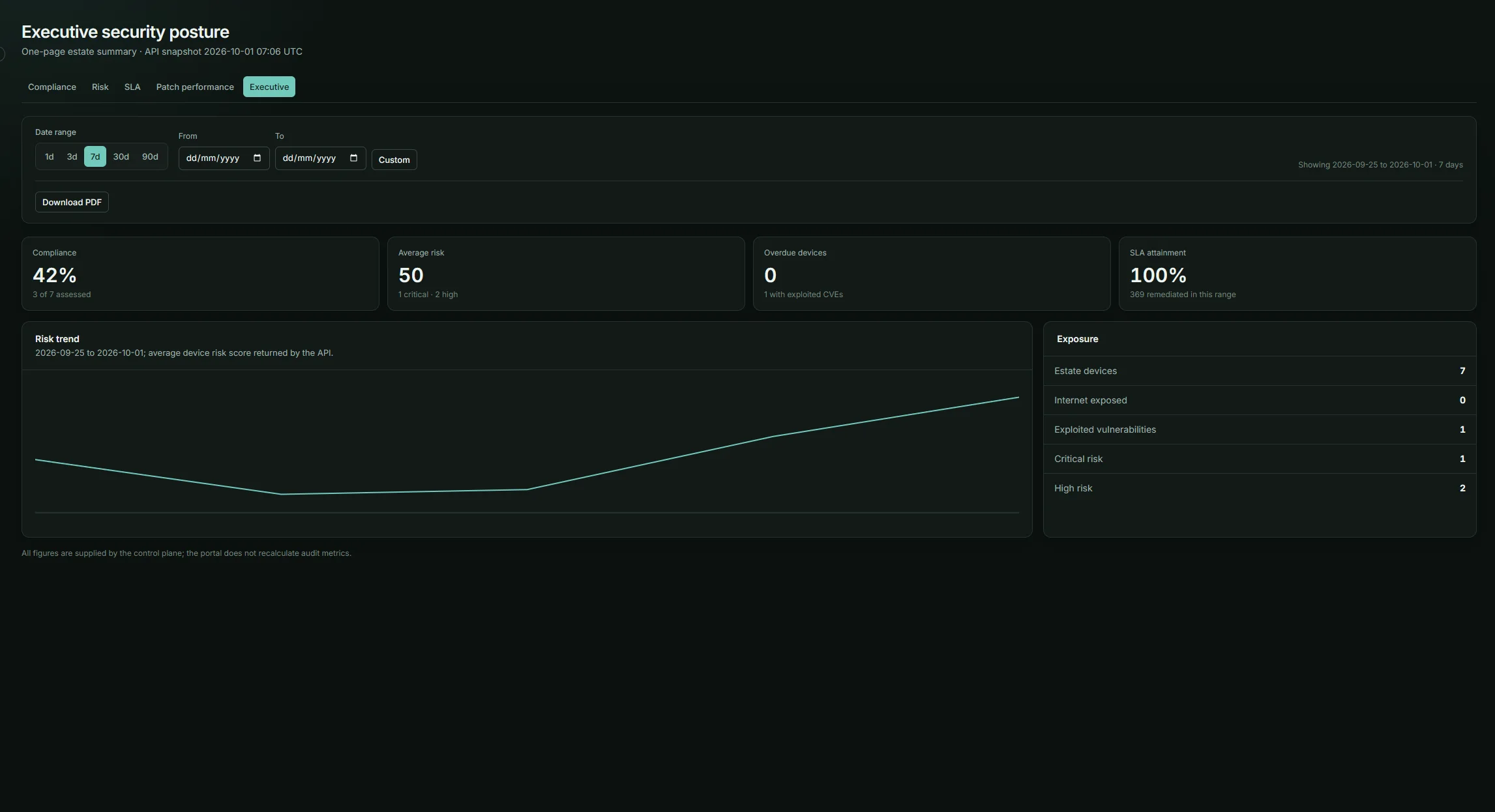
- Review MTTR, MTTP and SLA attainment alongside deployment records.
 Open larger view ↗
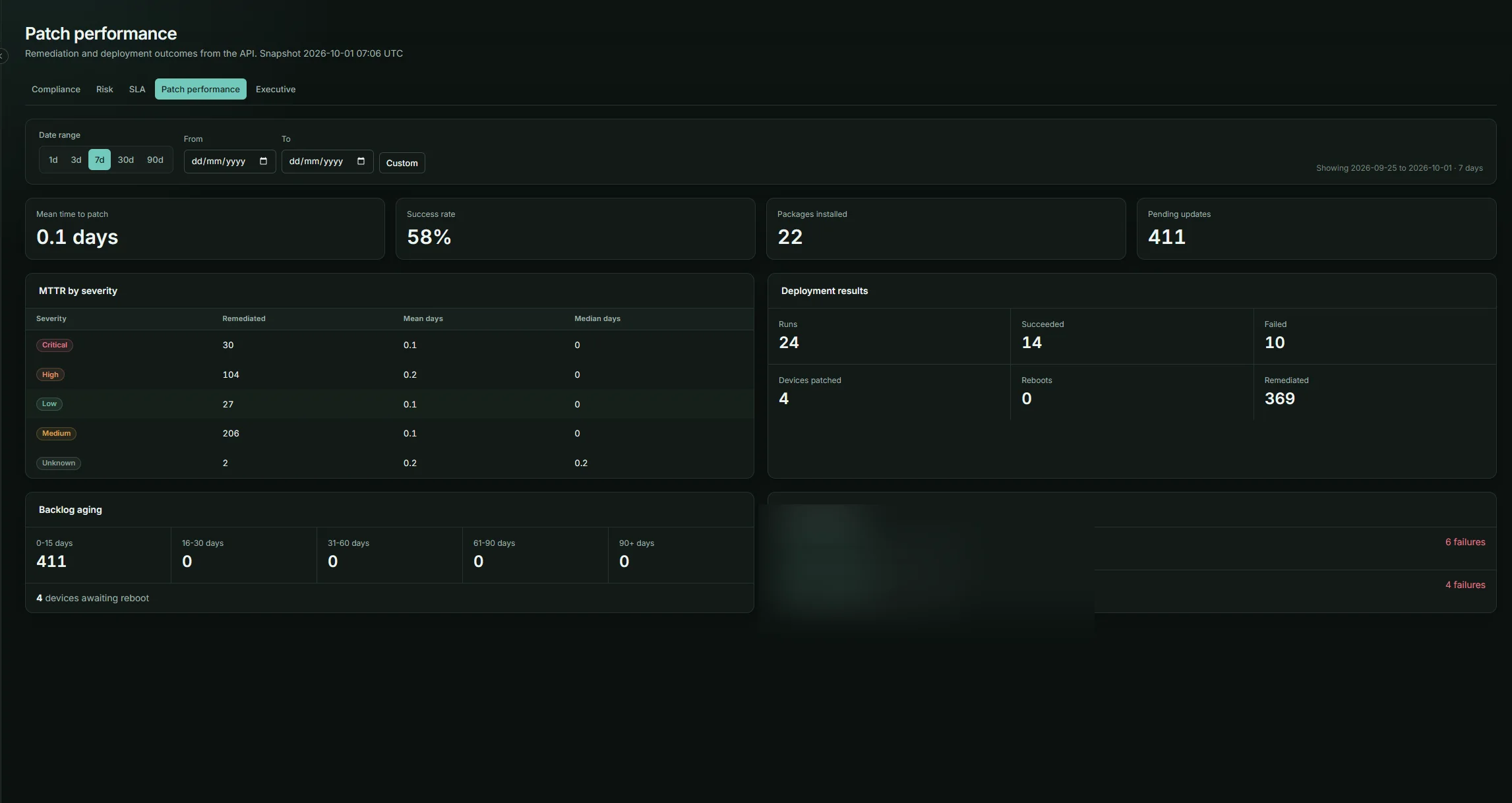
Analytics & Reporting
Move from fleet trends to a report that can be shared with the people responsible for action.
- Track patch metrics, compliance, risk and remediation trends.
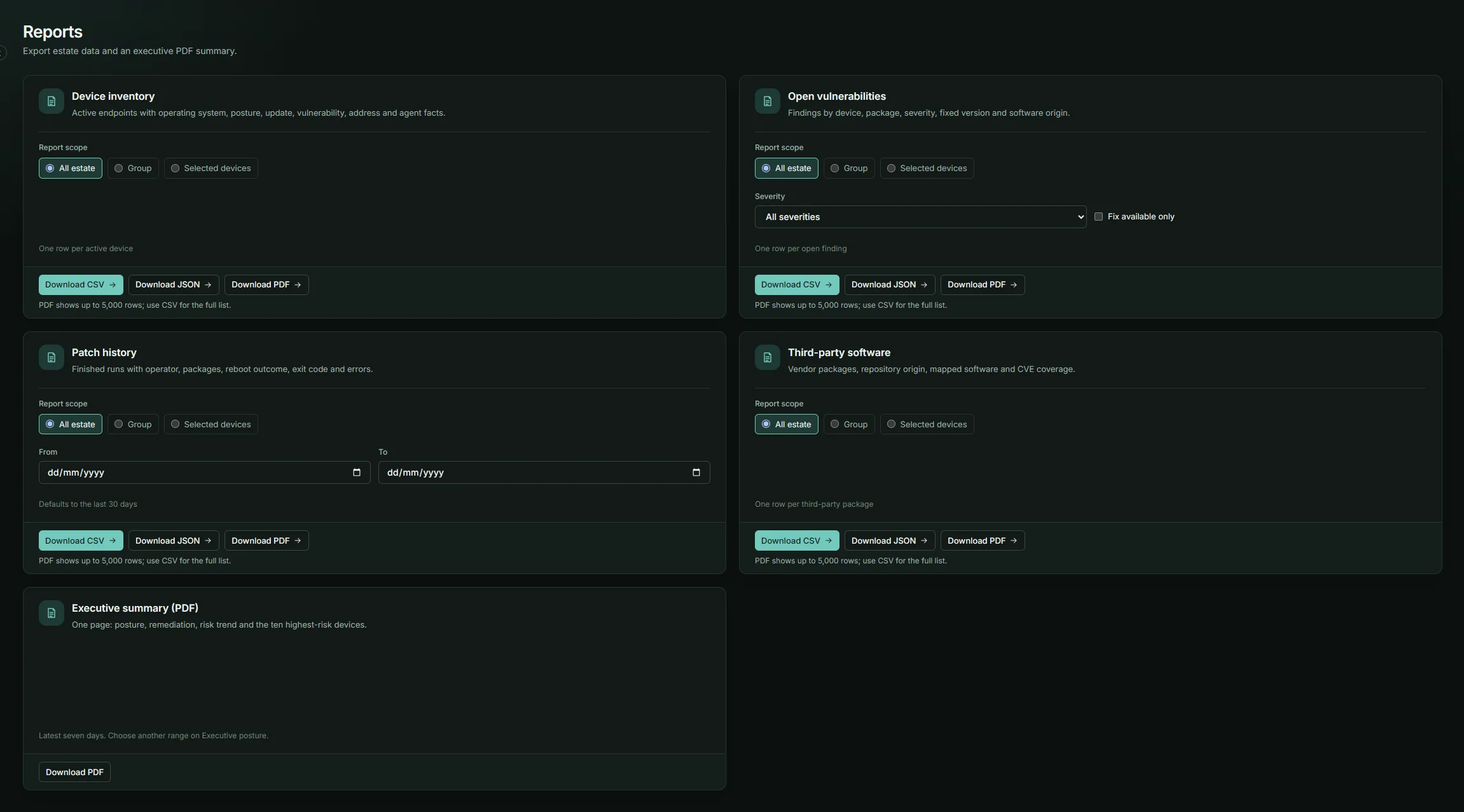
- Export device, vulnerability, patch-history and software reports as CSV, JSON or PDF.
- Download a one-page executive PDF summary.
 Open larger view ↗
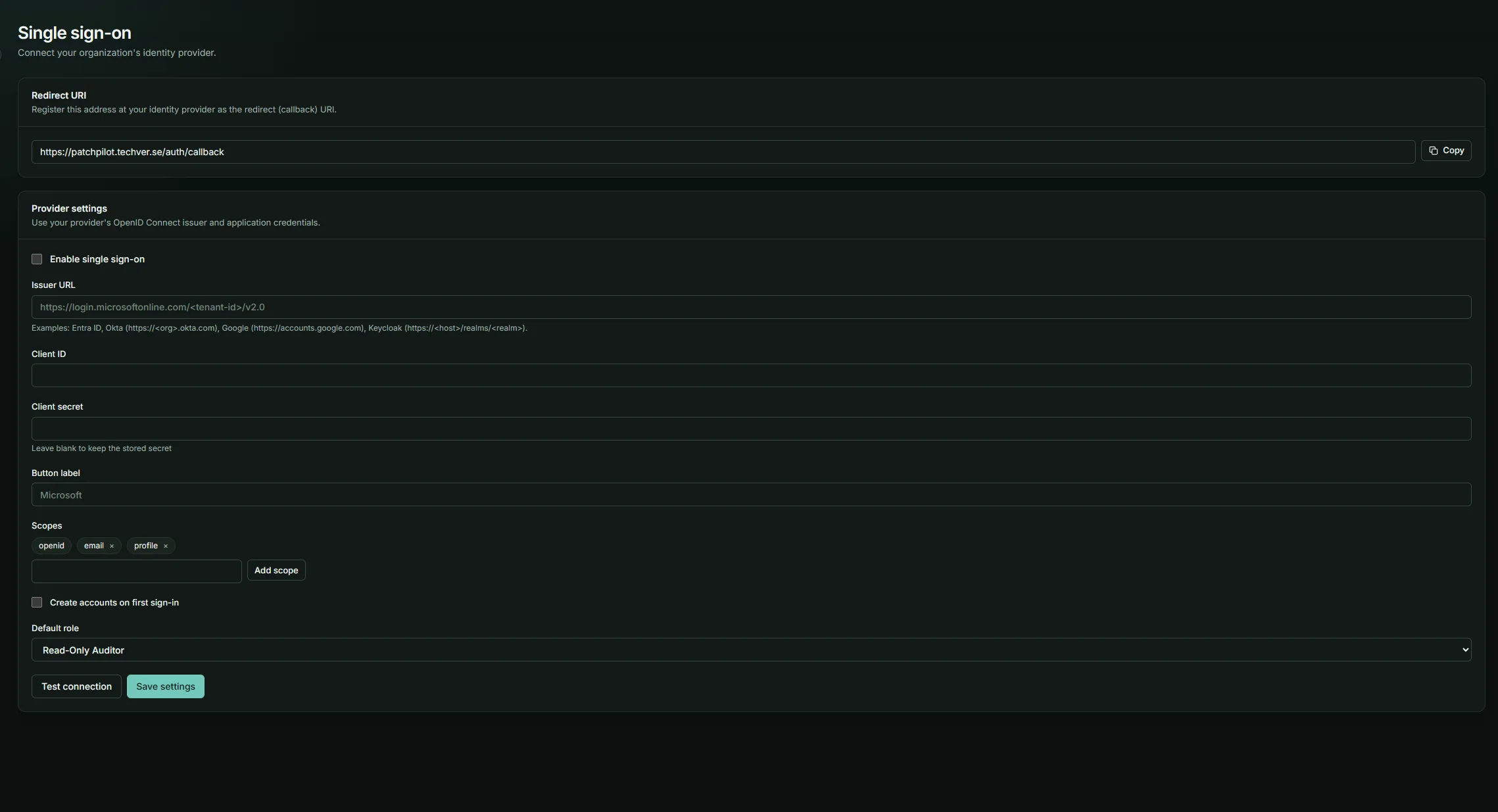
Security & Access Control
Give people the permissions they need and keep a durable record of the decisions they make.
- Use six roles with permission checks and multi-factor sign-in.
- Control patch changes through approvals and maintenance windows.
- Review the append-only audit log and set organization retention periods.
 Open larger view ↗
Multi-platform Management
Bring Windows, Linux, macOS and third-party applications into one patch operation.
- Patch Linux through apt and dnf/yum, using the host's configured repositories.
- Use Windows Update or WSUS, plus winget or RemediForge's app catalogue for supported third-party programs.
- Patch macOS through Apple's softwareupdate, and Homebrew where it is installed.
Open larger view ↗Third-party applications
Browsers, editors and everyday tools are where many attacks start. RemediForge updates them with the operating system: through winget on Windows and Homebrew on macOS, through vendor repositories on Linux, and from its own catalogue of vendor installers (Chrome, Firefox, Visual Studio Code, 7-Zip, Notepad++, VLC, Git), checked against the vendor's signature before they run.
- Manage operating-system and application updates in the same workflow.
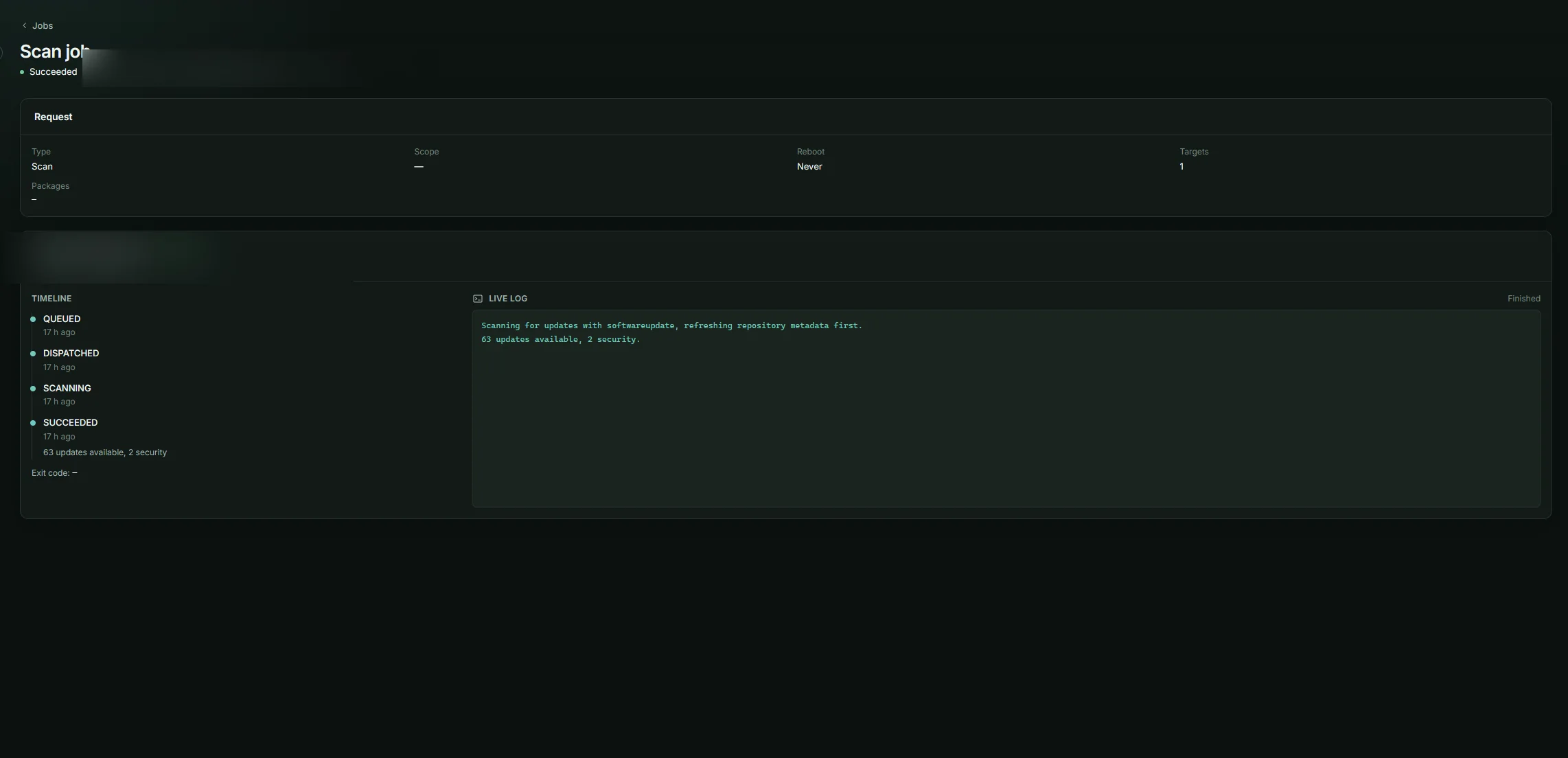
Open larger view ↗Follow every action through.
See the scan, patch output and executive view behind the summary.
Ready to simplify patch management?
Bring the next scan, deployment and audit trail into the same view.
Get Started